Polite in Mail, brief in Messages
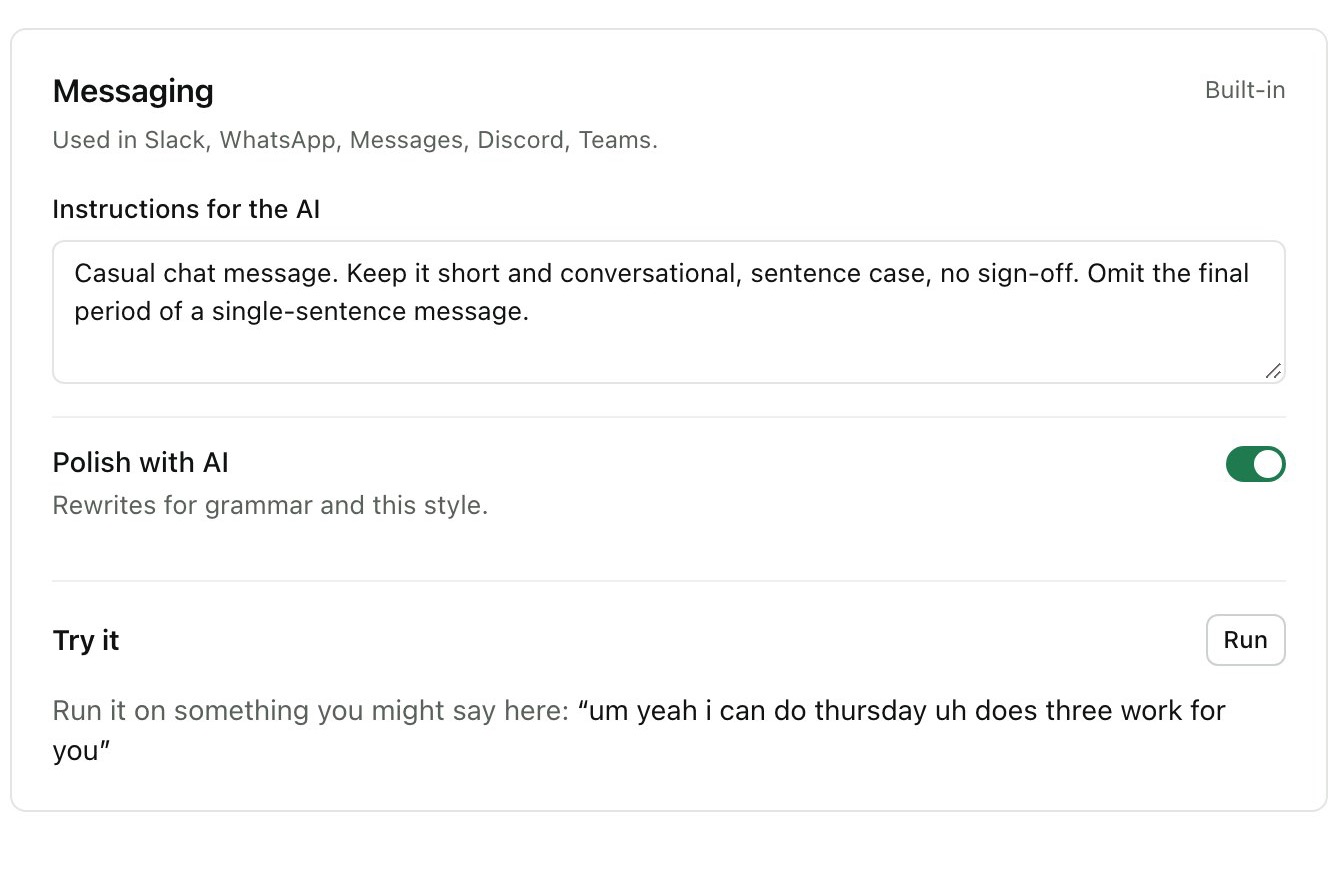
Hams sees which app you’re in. Email gets full sentences and a greeting on its own line, chat stays short, and code editors get exactly what you said. You can rewrite each style or pin an app to one.
 Hams Download
Slack · #design
um pushed the overlay fix uh can you pull and check it on your intel machine
WrittenPushed the overlay fix, can you pull and check it on your Intel machine
Messages · to Sam
running like ten minutes late save me a seat
Messages · to Sam
Um, running like ten minutes late, uh, save me a seat.
WrittenRunning like ten minutes late, save me a seat
Mail · Re: Launch notes
hi priya thanks for the notes um yeah I'll send the draft by friday
WrittenHi Priya,
Thanks for the notes. I'll send the draft by Friday.
Hams · Notes · 38 min meeting
Launch review with the design team
Hams is a free Mac app. Hold ⌘⇧Space in any app, speak, let go, and clean text appears at your cursor.
So, um, Tuesday at ten. Scratch that. Friday at ten.
WrittenFriday at ten.
7 words removed
Or try
This box runs Hams’ own clean-up rules in your browser. In the app, Whisper does the hearing on your Mac, and if you turn on AI polish it also fixes grammar and punctuation.
Hams sees which app you’re in. Email gets full sentences and a greeting on its own line, chat stays short, and code editors get exactly what you said. You can rewrite each style or pin an app to one.
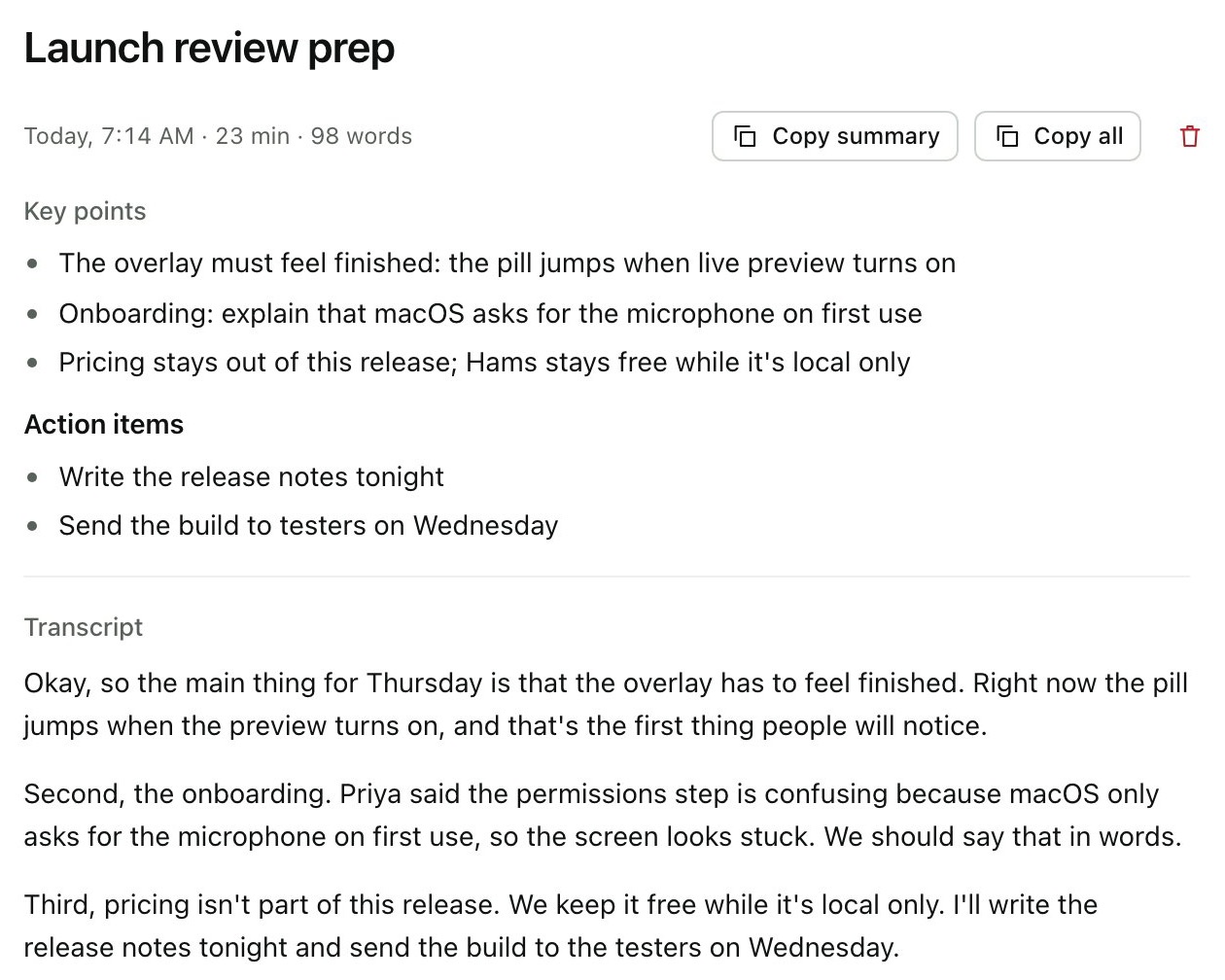
Record a lecture or a meeting for as long as it runs. Hams writes it down half a minute at a time while you listen, then saves the transcript with a title and the key points.
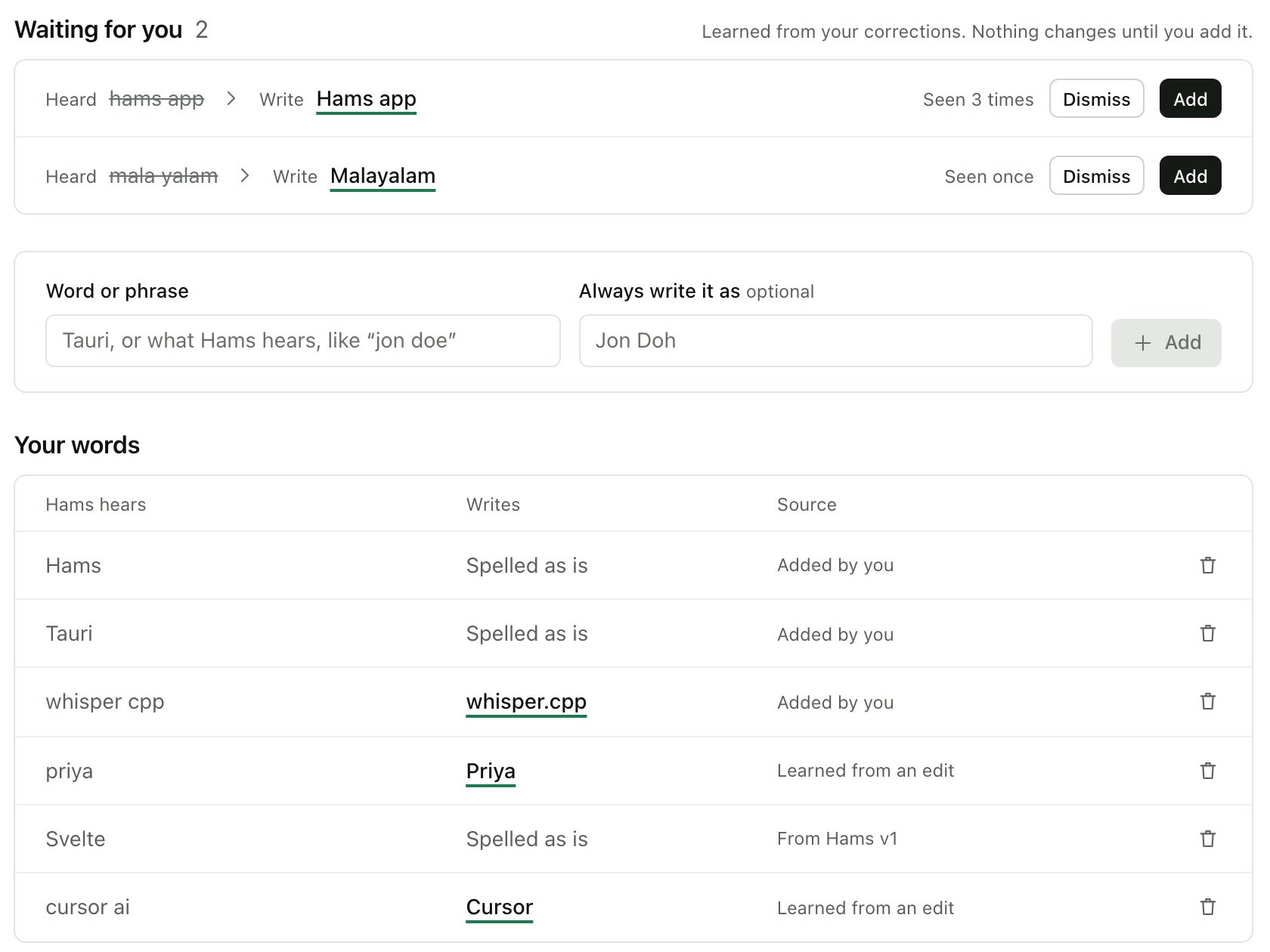
If Hams keeps writing “tory” when you mean Tauri, teach it once. Fix a word in History and it suggests the change for next time.
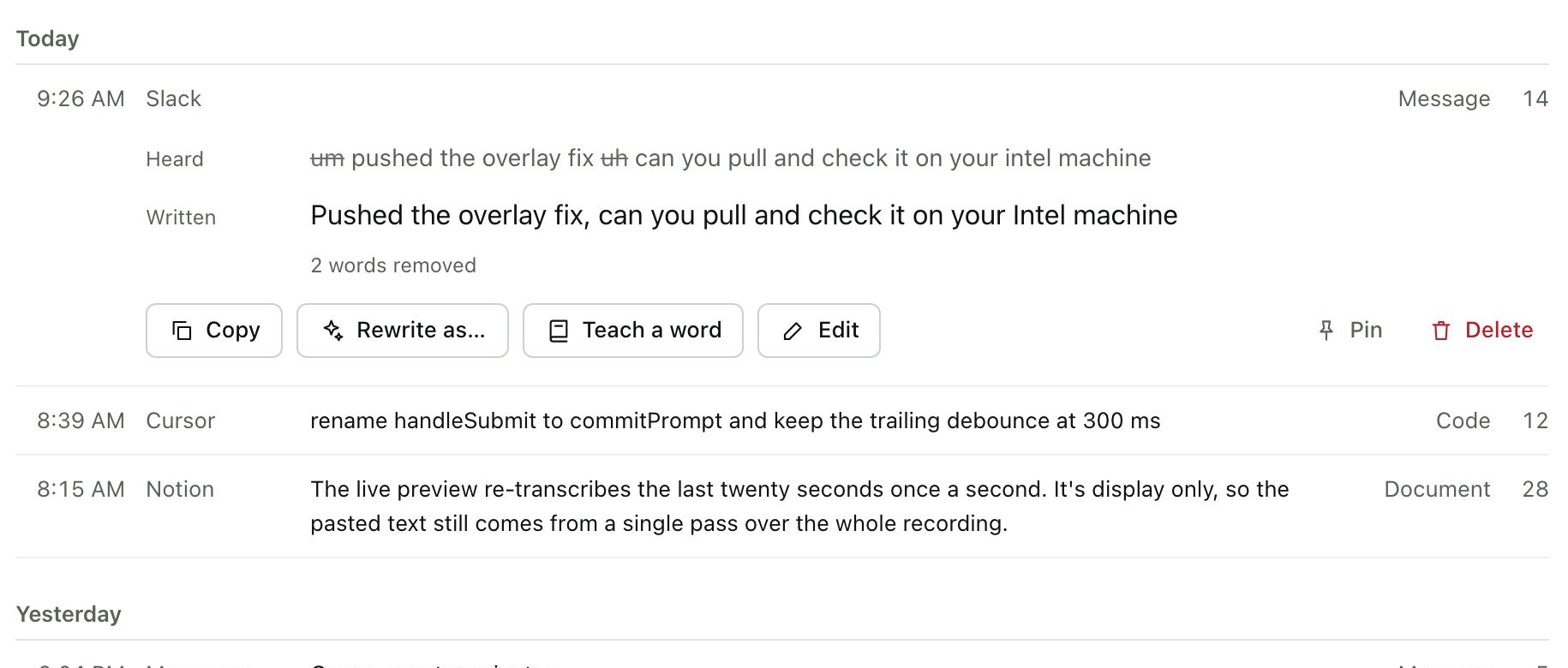
History shows what was heard and what was written, side by side. Copy one again, rewrite it as an email, or pin it.
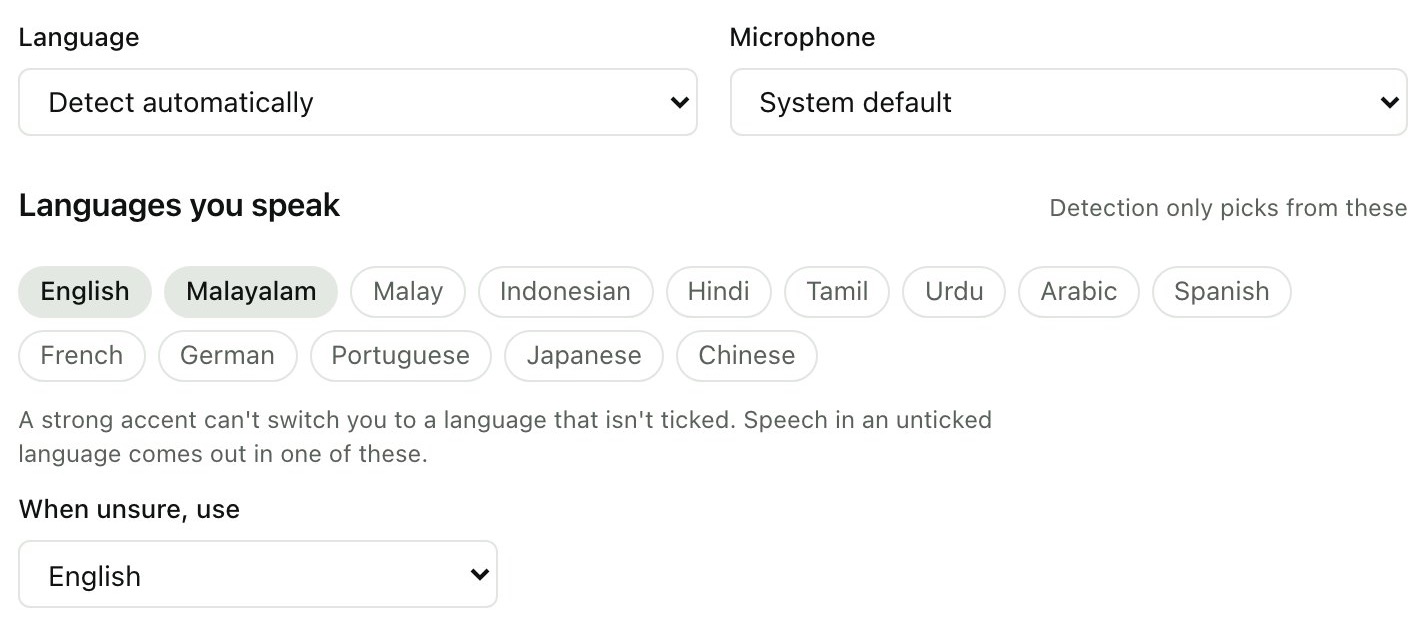
English, Malayalam, Malay, Hindi, Tamil, Arabic and more, mixed if you like. Tick the ones you speak, so a strong accent can’t turn your English into another language.
Hams (همس) is Arabic for a
whisper. Your voice is heard by Whisper, the open speech model, running inside the app on your Mac’s own chip. Nothing is recorded to
keep, nothing is uploaded, and it works on a plane.
AI polish is optional. Turn it on and only the written text goes to the provider you pick, with your own key, stored in the Mac’s keychain. Or run it locally with Ollama.
As long as you talk
First, hold the shortcut and speak. A small pill shows Hams is listening.
Half a second
Then Whisper writes it down, on your Mac.
About a second
Next, the ums and “scratch that” go, and AI polish runs if it’s on.
Instantly
Last, it’s pasted where your cursor was.
| Press | Hold ⌘⇧Space | Dictate while held |
|---|---|---|
| Press | Tap it twice | Hands-free until you tap again |
| Press | Esc | Cancel, nothing is pasted |
| Press | ⌘⌥⇧V | Paste the last one again |
| Select | Hold ⌃⇧Space | “Make this more formal” |
| Say | “scratch that” | Drops the last sentence |
| Say | “new line” | Starts a new line |
| Say | “new paragraph” | Leaves a blank line |
| Say | A snippet’s name | Inserts your saved text |
The quickest way is the one line for Terminal under “Ready to talk?” below. It downloads Hams, puts it in Applications and opens it, with no warnings.
Or download the DMG and drag Hams into Applications. Because Hams isn’t registered with Apple, macOS says it can’t check the app the first time you open it. Open System Settings → Privacy & Security, scroll down and click Open Anyway. You do this once; updates install from inside Hams.
Apple only trusts apps from developers who pay for its yearly program, and Hams is a free project that doesn’t. The warning isn’t about anything Hams does: its code is public on GitHub, and you can build it yourself.
Nothing. AI polish is optional and uses your own key with Gemini, OpenAI, Anthropic, Groq or OpenRouter, or a free local model through Ollama.
Any Mac on macOS 12 Monterey or later, Apple Silicon or Intel. On first launch Hams downloads its speech model (466 MB for the recommended one). A Windows version is in progress.
The microphone, to hear you, and Accessibility, so the shortcut works in every app and Hams can paste at your cursor. The first launch walks you through both.
Not your voice. Hams downloads the speech model once and checks GitHub for updates, which install only when you click. If you turn on AI polish, the written text goes to the provider you chose.
curl -fsSL https://hams.wusla.co/install | bashThe Terminal line installs Hams into Applications and opens it, with no warning from macOS. Free, no account, for any Mac on macOS 12 or later. Read the code.